How to Read Substack Newsletters in Another Language
Substack's own Translate button swaps a post into another language. Here is how to read a French, Spanish or German newsletter with the original and the translation side by side instead.
Some of the best writing on Substack is not in English. French tech and business newsletters, Spanish political analysis, German essays: writers publish in their own language because that is where their readers are. If you read the language a little, or not at all, you have two ways in, and they do different jobs.
Substack's Translate button vs. bilingual reading
On many posts Substack now shows a small Translate label above the title. Click it and the post is replaced with a machine translation. That is quick, and for skimming it is enough.
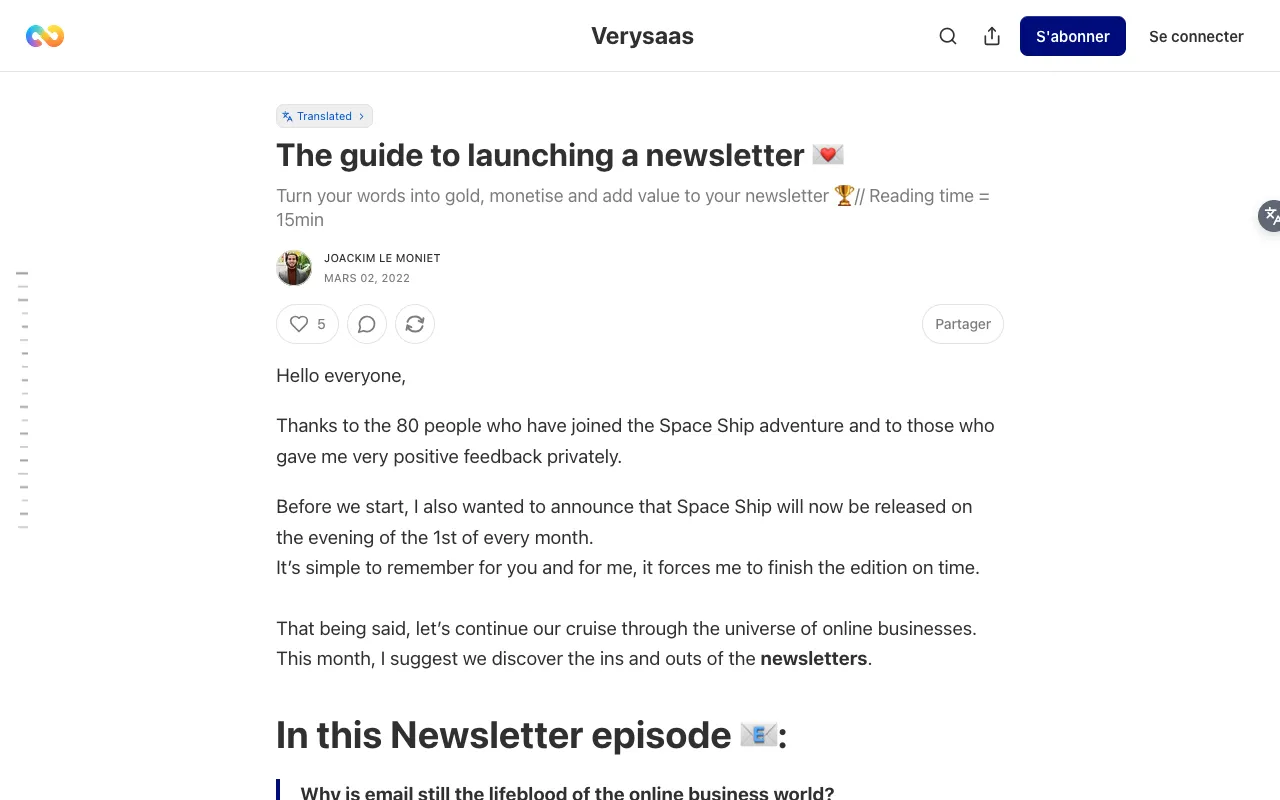
What it does not do is keep the original. Every French sentence is gone, so you cannot check a phrase, see the author's exact wording or learn anything from the language. It translates only the post, not the page around it, and not every post shows the label.
BothLang keeps the original paragraph and puts the translation underneath. The screenshots below show the French newsletter Le guide pour lancer une newsletter by Verysaas, taken on 3 November 2026 with the free Google provider and English as the target language.
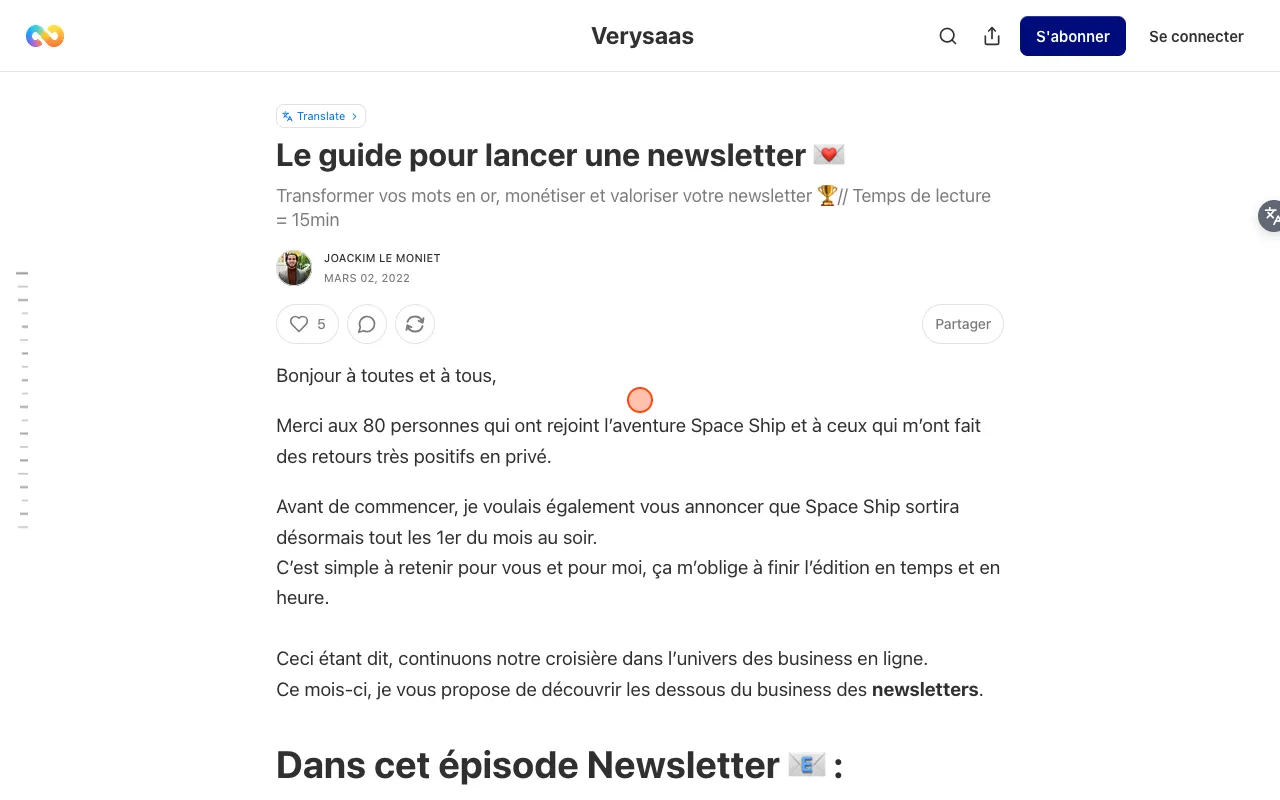
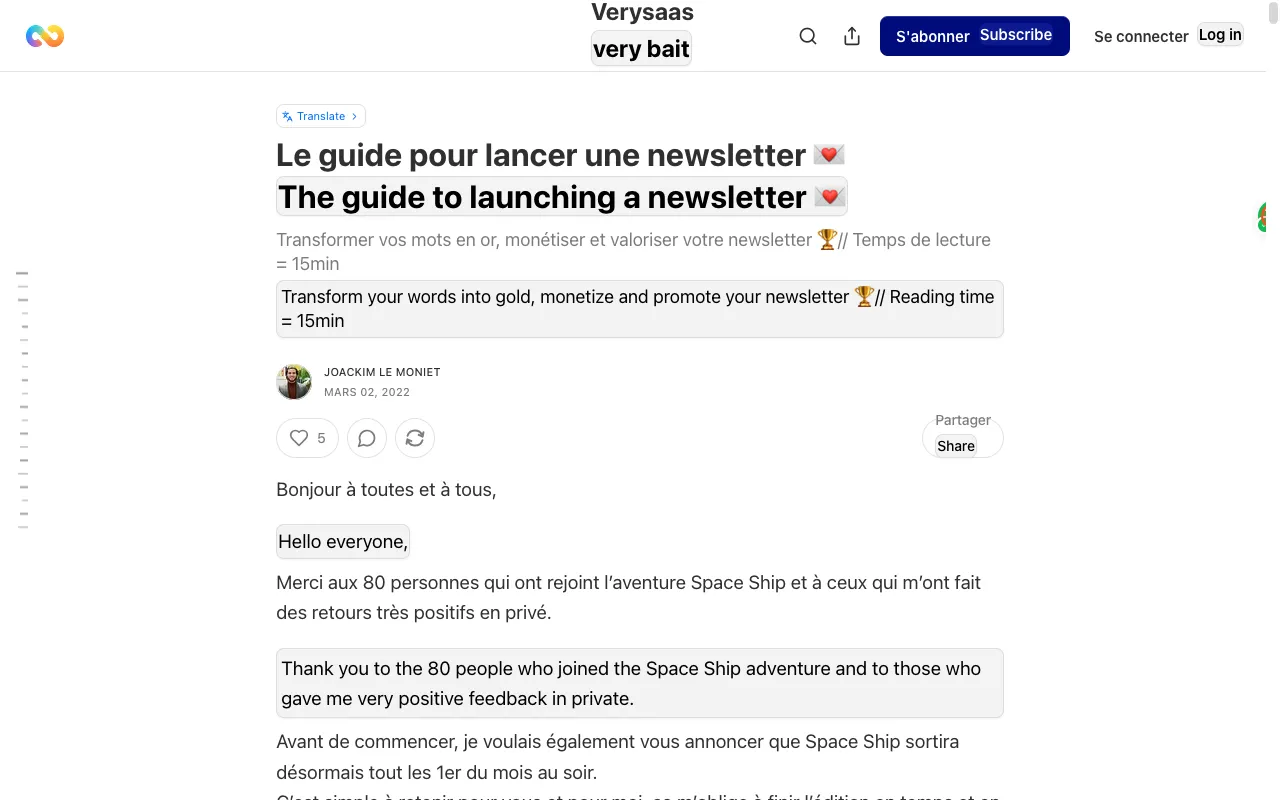
The title, the subtitle and every paragraph keep their French and gain an English line below. The page around the post is translated too: "S'abonner" gets "Subscribe" and "Se connecter" gets "Log in".
Step by step
- Install BothLang from the download page. It works in Chrome, Edge and Firefox.
- Open the post on the web. If it arrived by email, click the post title in the email to open the web version.
- Click the floating BothLang button on the right edge of the page. Its tooltip names your target language, for example "Translate page to English".
- Scroll. Paragraphs are translated as they come into view.
To change the target language, or to show only the translation, open the BothLang popup from the browser toolbar. Each newsletter has its own address (name.substack.com or a custom domain), and BothLang remembers each one after the first click.
Which one to use
| You want to | Use |
|---|---|
| Skim a post you will read once | Substack's Translate label, if the post has it |
| Quote or check what the author actually wrote | BothLang (bilingual) |
| Learn the language while you read | BothLang (bilingual) |
| Read a newsletter on a custom domain, or a post without the label | BothLang |
| Read the comments and the page around the post | BothLang |
Tips
- Follow writers in the language you are learning. A newsletter arrives on a schedule and stays on one topic, which makes the vocabulary repeat. That repetition is what makes it good reading practice. See the bilingual reading method.
- Read the original first. Keep bilingual mode on, read the French or Spanish line, and only look down at the translation when you get stuck.
- Use translation-only mode for long essays you only want to understand. Switch it in the popup.
Limits worth knowing
- Names can get translated. In the screenshot, the publication name "Verysaas" was turned into "very bait". Treat translated names, brands and titles with suspicion and check the original line above.
- Line breaks inside a paragraph can be merged in the translation, so a few short lines may come out as one block.
- Paid posts stay paid. BothLang translates what the page shows; it does not unlock subscriber-only content.
- Substack's subscribe box, which may appear while you scroll, is translated along with the page. Close it as usual.
- Text you translate with the free Google or Edge providers is sent to that provider. BothLang's AI provider needs an account. See how BothLang handles privacy.
Related guides
Related Articles
How to Translate Substack From Arabic to German (Step-by-Step)
Read Arabic-language Substack content in German while keeping the original Arabic visible, with a bilingual workflow you can reuse on any site.
How to Translate Substack From Arabic to English (Step-by-Step)
Read Arabic-language Substack content in English while keeping the original Arabic visible, with a bilingual workflow you can reuse on any site.
How to Translate Substack From Arabic to Spanish (Step-by-Step)
Read Arabic-language Substack content in Spanish while keeping the original Arabic visible, with a bilingual workflow you can reuse on any site.
How to Translate Substack From Arabic to French (Step-by-Step)
Read Arabic-language Substack content in French while keeping the original Arabic visible, with a bilingual workflow you can reuse on any site.