How to Read Medium Articles in Another Language (Original + Translation)
Medium has large Spanish, Portuguese, Japanese, Korean and Chinese communities, and no translate button. Here is how to read their articles with the original paragraph and your language together.
Medium is not an English-only site. Developers in Latin America, Brazil, Japan, Korea and Taiwan publish tutorials, postmortems and career advice there in their own language, and a lot of it never gets an English version. Search results surface these articles all the time, usually for exactly the problem you are stuck on.
Medium itself has no translate button. Your options are to paste paragraphs into a translator one at a time, or let the browser replace the whole page and lose the author's original wording. This guide shows a third way: keep each original paragraph and put the translation right under it.
What it looks like
The article below is Brecha de idioma en la educación de programación ("Language gap in programming education"), a Spanish post about how most coding courses for children assume the child already knows English. The screenshots were taken on 3 November 2026 with the free Google provider and English as the target language.
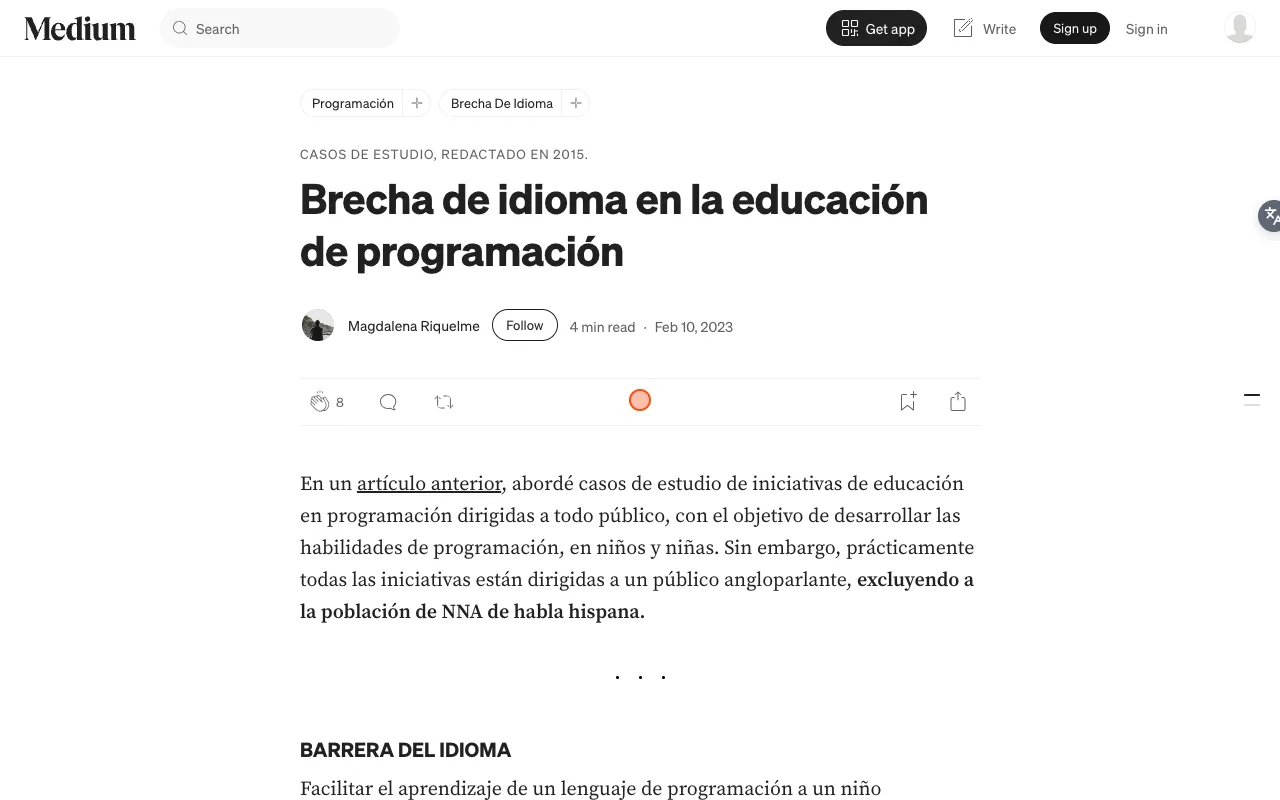
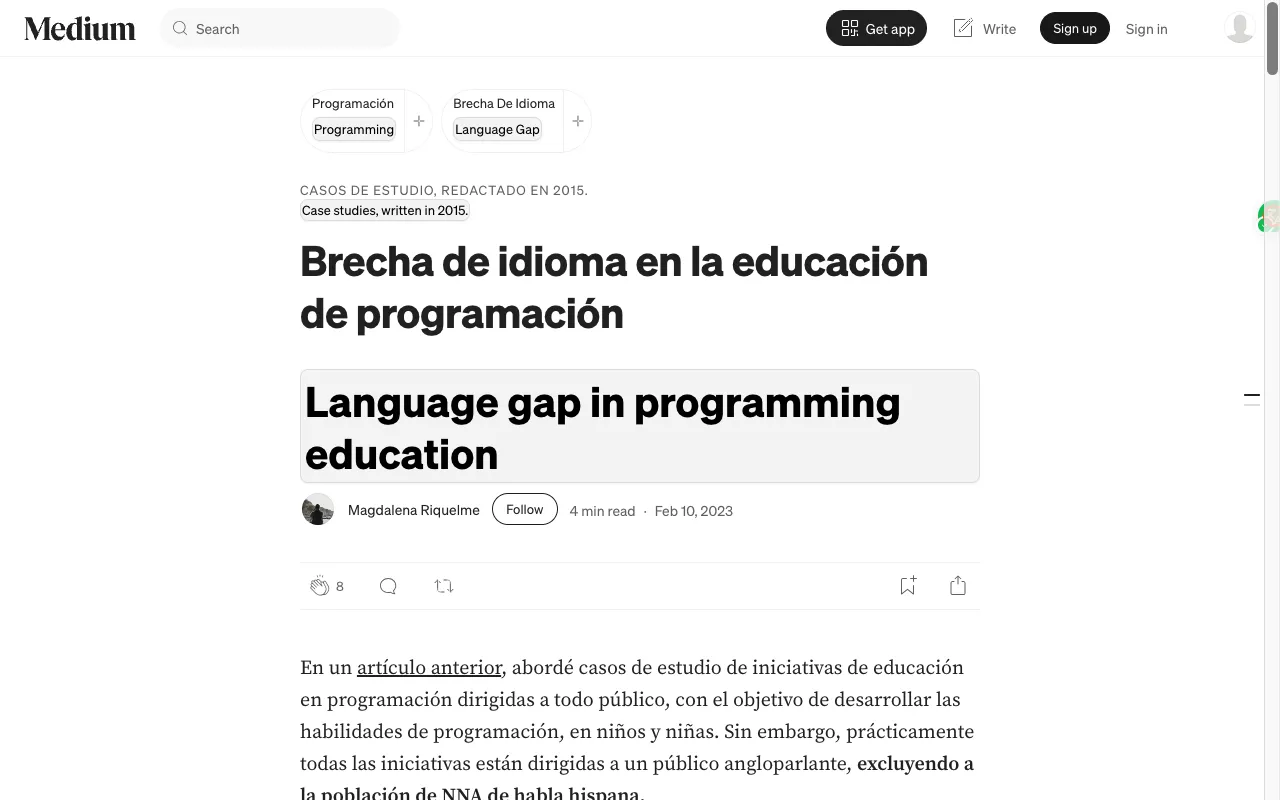
The Spanish stays where the author put it. The English sits under each block: the title, the topic tags ("Programación" / "Programming"), the small line above the title and every paragraph. Bold text and links in the original are untouched, so you can still follow the "artículo anterior" link to the author's previous post.
Step by step
- Install BothLang from the download page. It works in Chrome, Edge and Firefox.
- Open the Medium article.
- Click the floating BothLang button on the right edge of the page. Its tooltip names your target language, for example "Translate page to English".
- Scroll. Paragraphs are translated as they come into view.
To change the target language, or to hide the original and show only the translation, open the BothLang popup from the browser toolbar. After the first click BothLang remembers the site, so the next Medium article is translated when it opens.
Why keep the original on Medium
Technical terms survive. A Japanese or Portuguese article often keeps English terms such as "pull request", "deploy" or a library name in the middle of a sentence. Machine translation sometimes rewrites them. With the original right above, you can see the exact term the author used.
Code is left alone. BothLang does not translate code blocks or inline code, so commands and snippets stay copy-pasteable. Only the prose around them is translated.
You can check the claim. If a sentence in the translation sounds wrong or too strong, the original is one line up. That matters when you are about to act on advice from a stranger's blog post.
It doubles as language practice. Medium writing is informal but careful, which makes it easier than social media and more natural than textbooks. Read the original first, then glance at the translation only where you get stuck.
Tips
- Find non-English writing on purpose. Search Medium for your topic in another language, for example "arquitectura de software" or "tutorial React español", or follow publications and tags in that language. The answer you need may already exist there.
- Translate a single paragraph instead. If the article is mostly in a language you read and only one quote is not, use hover translation on that paragraph instead of the whole page.
Limits worth knowing
- BothLang translates what the page shows. Member-only stories behind Medium's paywall stay behind it; it does not unlock anything.
- Medium sometimes opens a "sign up" box after you scroll. It is translated along with the page. Close it as usual.
- Machine translation is good for understanding a post, not for quoting it. Quote the original sentence.
- Text you translate with the free Google or Edge providers is sent to that provider. BothLang's AI provider needs an account. See how BothLang handles privacy.
Related guides
Related Articles
How to Translate Medium From Arabic to German (Step-by-Step)
Read Arabic-language Medium content in German while keeping the original Arabic visible, with a bilingual workflow you can reuse on any site.
How to Translate Medium From Arabic to English (Step-by-Step)
Read any Arabic-language Medium article in English while keeping the original Arabic visible, with a bilingual workflow you can reuse on any site.
How to Translate Medium From Arabic to Spanish (Step-by-Step)
Read Arabic-language Medium content in Spanish while keeping the original Arabic visible, with a bilingual workflow you can reuse on any site.
How to Translate Medium From Arabic to French (Step-by-Step)
Read Arabic-language Medium content in French while keeping the original Arabic visible, with a bilingual workflow you can reuse on any site.