How to Translate Medium From German to English (Step-by-Step)
German-language writers on Medium cover technology, journalism, and AI with real depth. If English is your stronger reading language, the friction is familiar: translate in a separate tab and lose the layout, or read slower than you would like.
Bilingual translation avoids both. The German stays visible and the English appears directly beneath it.
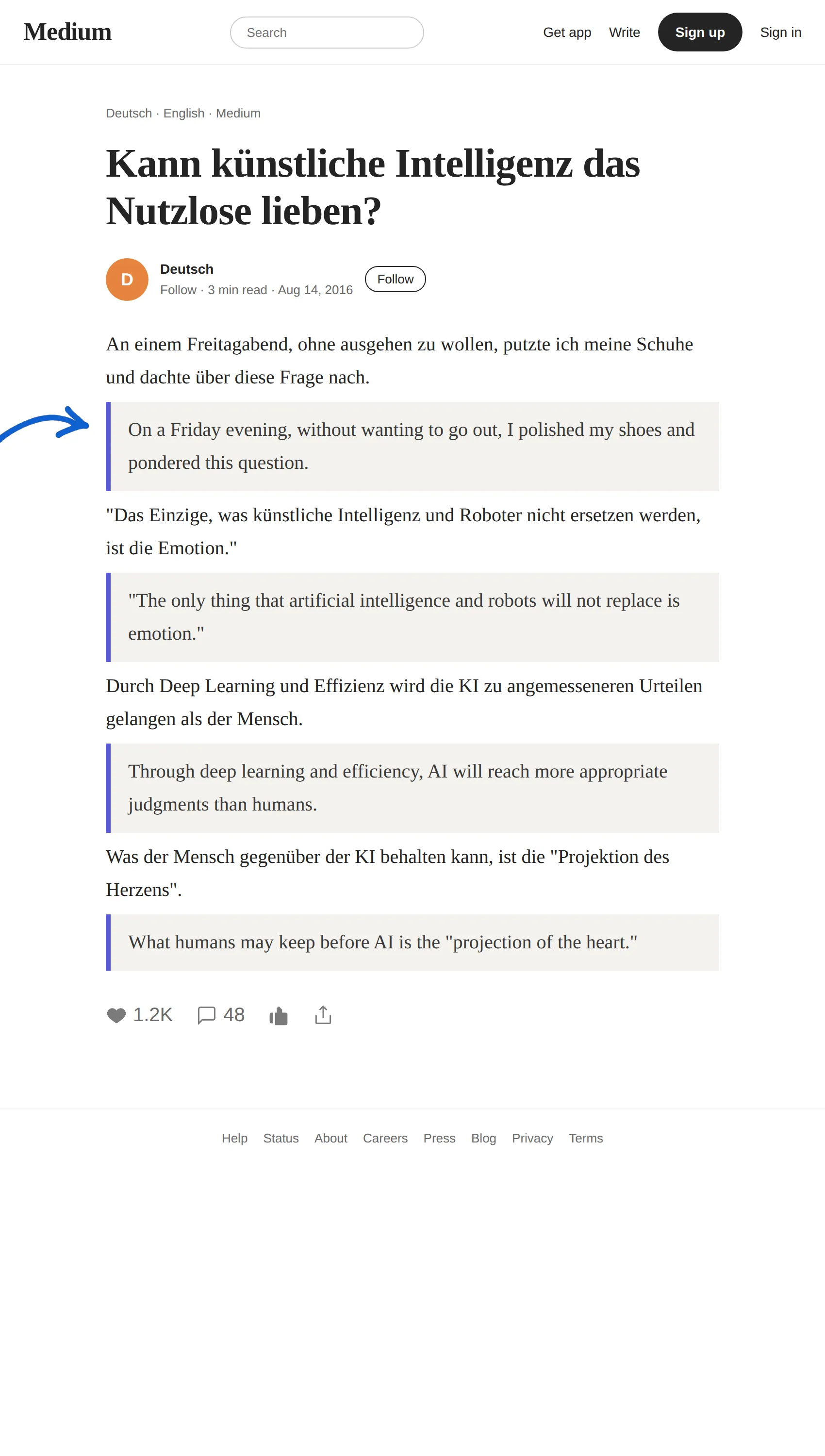
Demo note: the screenshots below are built in a real Medium article layout to show exactly how BothLang displays a bilingual page — the original paragraph on top and the translated English directly beneath it, with an arrow pointing at the translation. The workflow is identical on Medium and most blogs because BothLang works on whatever page you are viewing.
What you need
- BothLang in Chrome, Edge, or Firefox — see the download page.
- The extension pinned to your toolbar.
- A German article open in a tab.
Step 1 — Open the German article
Open the German piece you want to read. The example translates a German-language essay about artificial intelligence.
Step 2 — Set English as your target
Click the BothLang icon:
- Translate into → English (en).
- Page display → Bilingual.
Step 3 — Translate the page
Click Translate Now. BothLang adds an English translation directly beneath each German paragraph, leaving the German intact. An arrow marks each translated paragraph.
The result is a bilingual page:
Step 4 — Change reading mode
- Bilingual — source and translation together.
- Translation only — meaning only.
- Original only — clean German.
Step 5 — Hover one sentence
For a single tricky passage, use hover translation: hold your shortcut and point at a paragraph.
German punctuation and compound words
BothLang handles umlauts, ß, and long compound words without configuration. It also translates Dutch or other Germanic-language articles with the same target-language setting.
Why keep the German visible?
- Accuracy. Proper nouns, technical terms, and quotes can be translated loosely. The source beside the English lets you check.
- Learning. Reading a German paragraph under its English meaning is a natural way to build vocabulary.
The short version
- Install and pin BothLang.
- Open a German article.
- Set Translate into: English, Page display: Bilingual.
- Click Translate Now.
- Read the English with the German original underneath.
Try it on your next German article, newsletter, or news source.